
IndyStar: Indianapolis Star
USA TODAY Co.News & Magazines
2.7295.00 Reviews
- Version
- 8.10.3
- Installs
- 100.00K
- Age Rating
- Everyone 10+
Screenshots
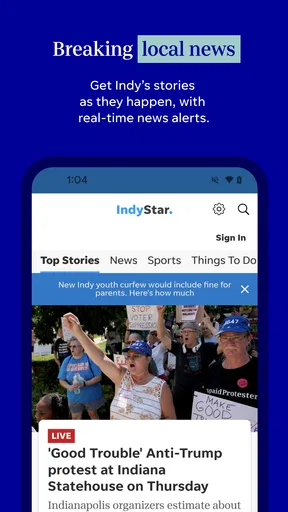
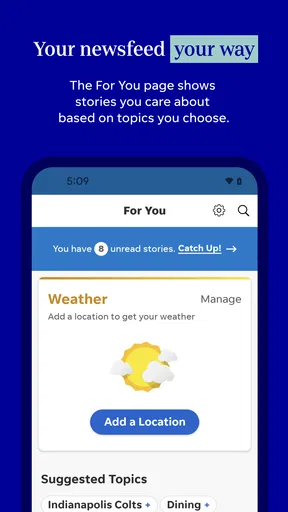
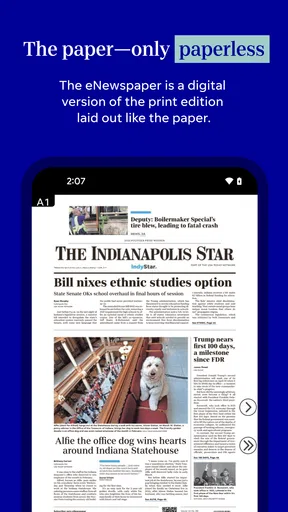

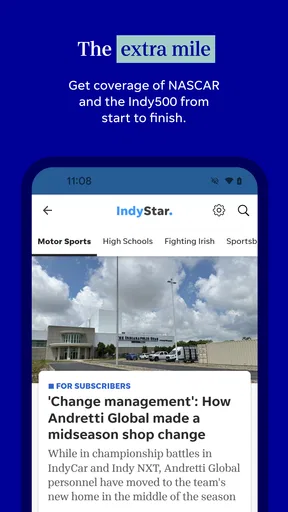
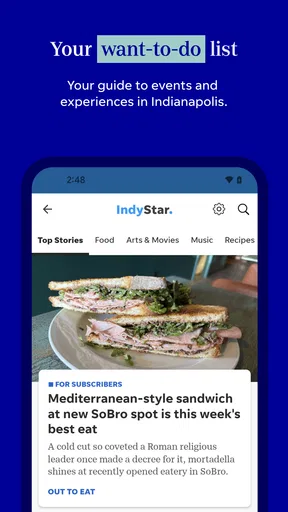
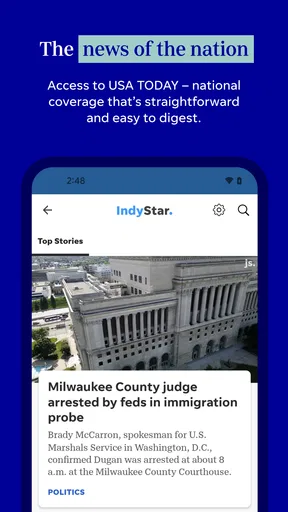
Our Review of IndyStar: Indianapolis Star
 Analysis by Appyee
When I want a quick sense of what is happening in Indianapolis, a local news app has to do more than put headlines on a screen. I look for a clear route from breaking stories to useful local coverage, and a reading experience I can manage when I have only a few minutes or when the day is busy. IndyStar: Indianapolis Star is a free news and magazines app from USA TODAY Co. Its mix of local news, sports, entertainment, and an eNewspaper makes it most relevant to people who want Indianapolis coverage in one place rather than a general national-news feed.
Getting Started with IndyStar
Okay, so first things first, downloading the IndyStar: Indianapolis Star app is a breeze. Available on both Android and iOS, you can snag it from your usual app store. Once you’ve got it up and running, you’re greeted with a clean and intuitive interface. Seriously, even if you're not the most tech-savvy, you’ll find navigating through this app a piece of cake.
The app has been around since August 31, 2012, and its current version is 8.7.1, with Android 8.0 as the minimum operating-system requirement. That gives prospective readers a practical starting point: it is an established local publication’s app, but anyone using an older Android device should check compatibility before planning to rely on it. It is rated Everyone 10+, and the app has more than 100,000 installs. Those details help set expectations, but I would give more weight to whether its Indianapolis reporting matches what I actually need each day.
Exploring the Features
The app offers a range of features that keep you glued to your screen. You can dive into various sections like news, sports, entertainment, and more. One of my favorite features is the personalized notifications. You can tailor these to get alerts on topics you care about most, which is super handy in staying updated without the overwhelming flood of news.
My practical tip is to treat alerts as a narrow filter, not as a replacement for checking the full news feed. If I am following a local issue closely, topic-focused notifications can help me notice a new development without opening the app repeatedly. For a quieter routine, I would keep alerts limited to the subjects I genuinely want to track; otherwise, the convenience can turn into interruption. Readers who prefer to decide when they see news may be happier checking sections manually and leaving alerts aside.
Another cool feature is the eNewspaper. It’s like having the physical paper right in your pocket, but without the ink smudges. You can flip through pages and zoom in on articles just like you would with a hard copy. For those of us who still have a soft spot for traditional newspapers, this is a killer feature.
The eNewspaper also suits a different reading mood from scrolling through individual stories. I would use it when I want to browse broadly and notice items I might not have searched for, while the regular article view makes more sense when I already know what I want to read. That distinction matters if you are choosing between a local newspaper app and a general news aggregator: an aggregator can be useful for scanning many publishers, but it may not give the same newspaper-style sense of browsing one Indianapolis publication from page to page.
User Experience
Now, let’s talk about user experience. The app is designed to be sleek and smooth. Articles load quickly, and the text is crisp and easy to read. You can switch between different sections seamlessly, and the search functionality is spot on. Whether you’re looking for the latest Colts game updates or a new restaurant review, finding what you need is quick and painless.
For readability, the combination of article pages and a page-based newspaper gives readers two ways to approach the same general task: follow a specific story or browse a broader edition. Zooming in on the eNewspaper is useful when page text feels small, though page layouts are naturally less flexible than a plain article column. If I know I will be reading for a while, I would choose the article view where possible; if I want the familiar shape of a printed edition, I would accept the extra zooming and page navigation as part of that experience.
The app also supports offline reading. So if you’re planning a long commute or heading to a spot with sketchy internet, you can download articles to read later. This feature has saved me on more than one occasion, trust me!
That makes advance preparation important: I would save the stories I expect to need before leaving reliable internet, rather than assume every page will be available later. For a commute, this can turn spare time into a useful catch-up session. It is less suited to someone expecting live updates while offline, since saved reading and current reporting serve different purposes. When a story is developing quickly, I would reconnect before relying on the latest details.
Why You’ll Love It
If you’re a local or just someone interested in what’s happening in Indy, this app is a gem. It’s not just about hard news; there’s a little something for everyone. Want to know about upcoming events or the latest in local politics? It’s all here. Plus, the sports section is a dream for any fan wanting the latest scores and highlights.
A realistic use for it is a quick check over breakfast: scan local headlines, open a story that affects the day, then switch to sports or entertainment if that is what you have time for. Someone who has moved away but still follows Indianapolis teams or civic issues may also find a single local source easier than piecing together updates from several broad news feeds. On the other hand, if your main interest is national or international coverage, a larger general-news app will probably give you a wider range of publishers and subjects.
It is also worth separating local breadth from personal relevance. A publication can cover many parts of city life without every section being useful to every reader. I would start with the areas I actually follow—perhaps neighborhood-impacting news, local politics, or Colts coverage—and use search when I have a specific question. That is a more efficient habit than trying to read every section in order, especially on a busy day.
Another thing I really appreciate is how the app keeps evolving. The developers seem committed to ironing out any kinks and regularly updating the app to improve performance and add new features. It’s nice to see an app that doesn’t just rest on its laurels.
There are trade-offs to consider before making it a daily habit. IndyStar has a 2.7 average from around 666 ratings, so I would not assume every reader has a consistently smooth experience. The app is free to install, but in-app purchases range from $19.99 to $69.99 per item, so it is sensible to review the purchase choices shown in the app before committing to paid access. If you only want occasional headlines, the free experience may be enough for your routine; if you expect regular, uninterrupted access to more content, check the terms presented to you and decide whether that level of access is worth it.
For motor and sensory needs, I would approach the interface in a task-focused way rather than assume one display style will suit everyone. Article reading avoids some of the precise page-by-page navigation of the eNewspaper, while the newspaper view offers zooming for readers who need to enlarge details. People who find repeated tapping tiring may prefer opening one article at a time instead of browsing many pages. Readers sensitive to frequent interruptions can keep their attention on chosen sections rather than treating notifications as essential. Those are useful choices within the reading formats described, though they do not mean the app will accommodate every individual access need.
In everyday situations, context can change which part of the app works best. At home, the eNewspaper can suit a longer, relaxed browse. On a short break, a direct article or a focused section is more practical. Before travelling through an area with an unreliable connection, saving a few stories is a better plan than expecting to browse normally once offline. If you need live information at that moment, such as a rapidly changing development, a saved article is not a substitute for reconnecting and checking current coverage.
Wrapping It Up
All in all, the IndyStar: Indianapolis Star app is a fantastic way to stay connected with Indianapolis. It’s user-friendly, packed with features, and constantly improving. Whether you’re catching up on the latest news or diving into a deep-dive feature, this app has got your back. So go ahead, give it a try, and keep Indy at your fingertips!
My recommendation depends on what you want from a local news app. If Indianapolis is central to your interests and you value having local reporting, sports, entertainment, and a newspaper-style edition together, IndyStar is a sensible one to try. If you mainly want a broad mix of national publishers, prefer a highly customized reading setup, or need a specific accessibility option you cannot do without, compare it with other news sources before relying on it. For me, its strongest appeal is that it gives local readers a choice between a quick story and a more traditional edition; its main cautions are the mixed user rating and the need to understand paid options before making a purchase.
Verdict
Strengths of IndyStar: Indianapolis Star
- Comprehensive local news coverage.
- User-friendly interface and navigation.
- Regular updates keep content fresh.
- Customizable notifications for alerts.
- Access to exclusive subscriber content.
Limitations of IndyStar: Indianapolis Star
- Subscription required for full access.
- Frequent ads in free version.
- Occasional app crashes reported.
- Limited offline reading options.
- Some users find layout cluttered.
Other Releases by USA TODAY Co.
View All
AZ Central: Arizona Republic
News & Magazines2.5

The Detroit News: Local News
News & Magazines3.1

Detroit Free Press: Freep
News & Magazines3.0

Florida Today: Local News
News & Magazines2.3
Similar Picks in This Category
View All
Google News - Daily Headlines
Google LLC4.0

X
X Corp.4.8

Flipboard:Your Social Magazine
Flipboard3.4

Opera News: breaking & local
Opera4.5

Hindi News by Dainik Bhaskar
Dainik Bhaskar Group4.0

Way2News Daily News App
Way2News ( Formerly Way2SMS )4.6
Frequently Asked Questions
What is IndyStar: Indianapolis Star app, and what features does it offer?
IndyStar: Indianapolis Star is a comprehensive news app providing users with the latest news, sports updates, entertainment, and lifestyle content from Indianapolis and beyond. It offers breaking news alerts, in-depth articles, photo galleries, and video content. Users can customize their news feed and enjoy a seamless reading experience with offline access to articles.
Is the IndyStar app free to use, or does it require a subscription?
The IndyStar app is free to download, and users can access a limited amount of content without charge. However, for full access to all articles, videos, and exclusive content, a subscription is required. Subscription options are available within the app, offering monthly or annual plans to suit different preferences.
How frequently is the content updated on the IndyStar app?
Content on the IndyStar app is updated continuously throughout the day. This ensures that users receive the latest news and updates in real-time. The app provides breaking news alerts to keep users informed of major events as they happen, making it a reliable source for timely information.
Can I customize my news feed in the IndyStar app?
Yes, the IndyStar app allows users to customize their news feed according to their interests. Users can select topics, such as local news, sports, or entertainment, and receive tailored content. This feature ensures that users have a personalized experience, focusing on the news that matters most to them.
What are the device requirements for using the IndyStar app?
The IndyStar app is available for both Android and iOS devices. For Android, the app requires version 5.0 or higher, while iOS users need version 11.0 or later. Ensuring your device meets these requirements will allow for optimal performance and access to all features of the app.
